Checkout recent branch in git
Use the following command to checkout recent branch:
shell
git checkout -It's basically an alias for:
shell
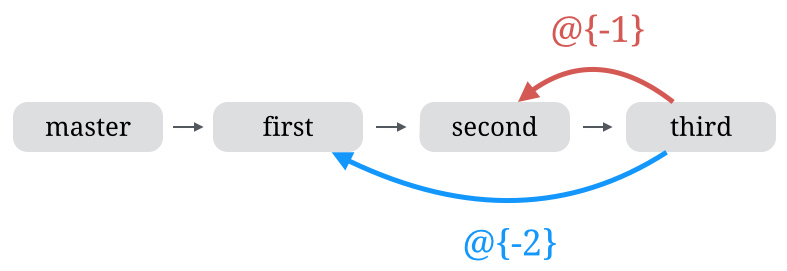
git checkout @{-1}You can checkout any previous branch, by replacing N with the N-th last branch that was checked out.
bash
git checkout @{-N}Following diagram (source), illustrates it perfectly: